Clips
Clip gain
The volume curve drawn along the clip itself.
Volume changes inside a clip are drawn as a gain curve on the clip itself, rather than applied as an effect. The curve makes fades, dips and level rides visible on the waveform, and it stays editable.
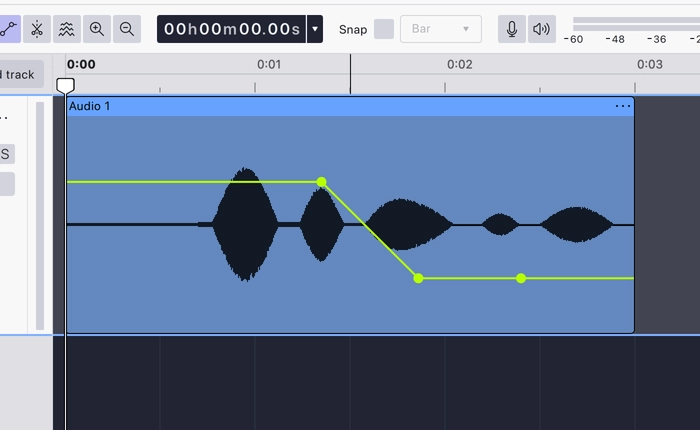
The curve is edited with the clip gain tool, the Clip envelope button in the Tools toolbar. While the tool is on:
- Clicking on the line adds a point.
- Dragging a point moves it: down for a volume drop or a fade out, up for a fade in.
- The waveform redraws to match the curve, so the level change is visible in the audio itself.
Switching the tool off returns clicks to ordinary selection. The curve remains on the clip and keeps applying.
The curve is drawn on the clip, so it moves with the clip and is saved with the project.
Last updated