Workspaces
Music
A workspace for tempo-based work — beats and measures on the ruler, with tempo and time signature in the toolbar.
Music is the workspace for material that is written to a tempo. Its distinguishing feature is that the Timeline ruler is set to Beats and Measures rather than Minutes and Seconds, and the toolbar carries the two controls that go with it.
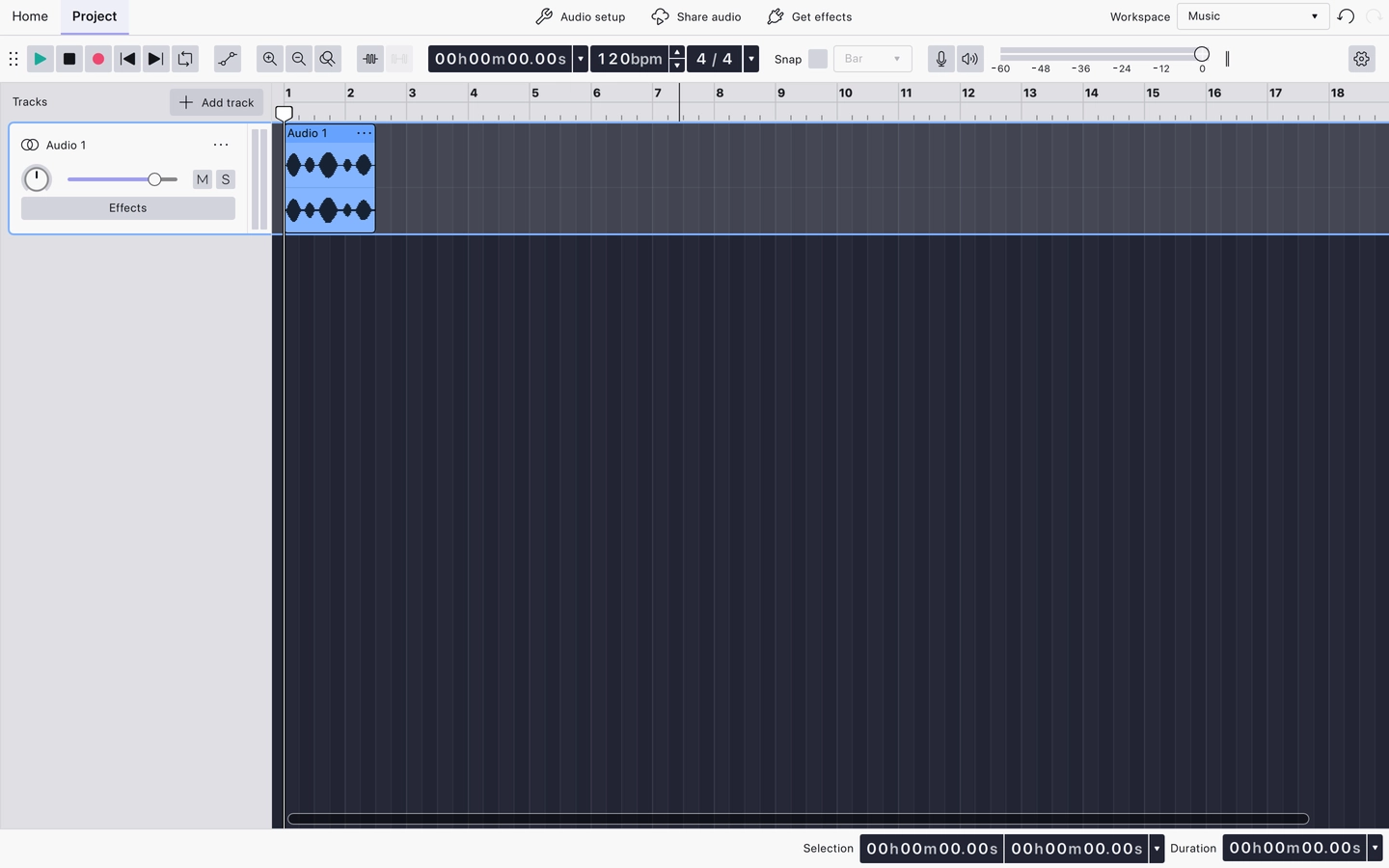
What the toolbar shows
- Play
- Stop
- Record
- Rewind to Start
- Rewind to End
- Toggle Loop Region
- Clip Gain
- Zoom In
- Zoom Out
- Zoom Toggle
- Trim
- Silence
- Timecode
- Tempo
- Time Signature
- Snapping
- Record Level
- Playback Level
Tempo and Time Signature appear here and in no other shipped workspace. The Split Tool, Toggle Spectral View, the clipboard buttons and the extra zoom buttons are hidden; all of them remain available from the Header menus.
Ruler
The Timeline ruler is set to Beats and Measures, so positions and snapping are expressed in bars and beats.
Related
Last updated