Tools
Sample data Import
Read sample values from a plain text file and turn them into audio.
Reads numbers from a plain text file and builds audio from them, one sample per value. It is the counterpart to Sample data export: use it to bring a waveform generated elsewhere — in a spreadsheet, a script or a maths package — into Audacity as a track.
Where to find it
Tools → Sample data Import.
Controls
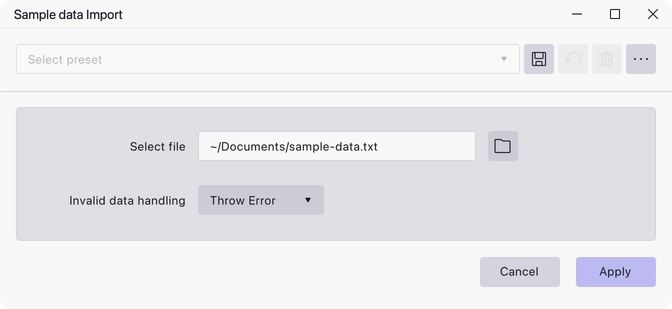
- Select file — the text file to read. The default name is
sample-data.txt. - Invalid data handling — Throw Error or Read as Zero. Throw Error is the default, so the import stops at the first value it cannot parse. Read as Zero substitutes silence for bad values and carries on.
Notes
The file must contain only plain ASCII text; the plug-in checks this and refuses anything else. Values are read as sample amplitudes, so they should normally fall between −1 and 1.
The audio is created at the sample rate of the track it goes into, and that is what decides how long a given number of values turns out to be — the file itself carries no timing information.
Last updated