Generators
Tone
Generate a steady tone at a fixed frequency and waveform.
Tone produces a constant waveform at one frequency for as long as you ask. It is what you reach for when you need a reference tone for calibrating levels, a test signal for checking a signal chain, or a simple synthesised note.
Where to find it
Generate → Tone.
Controls
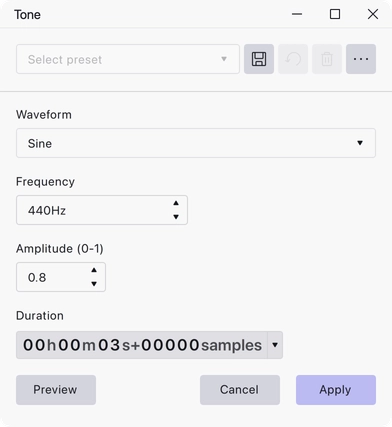
- Waveform — Sine, Square, Sawtooth, Square, no alias or Triangle.
- Frequency — the pitch of the tone, in Hz. Range 1 to 1,000,000 Hz, default 440 Hz.
- Amplitude (0-1) — the level, where 1 is full scale. Default 0.8.
- Duration — how much audio to generate, entered as a timecode.
Notes
A sine wave is the right choice for level calibration, because it has all its energy at one frequency and nothing else to confuse a meter.
Square, no alias is a band-limited square wave: it avoids the harsh aliasing artefacts an ordinary square wave produces when its harmonics run past the project’s upper frequency limit. Prefer it for high frequencies, and for anything you intend to listen to rather than measure.
Generation starts at the beginning of the selection, or at the cursor if nothing is selected, and runs for the duration you set. The duration has to be greater than zero before the effect can be applied.
Last updated