Effects
Tremolo
Vary the volume of the selection cyclically at a chosen rate and waveform.
Modulates the volume of the selection up and down at a steady rate, the classic wobble of a guitar amplifier’s tremolo circuit. Slow rates give a gentle pulsing; fast rates with a square wave chop the sound into segments.
Where to find it
Effect → Distortion and modulation → Tremolo.
Controls
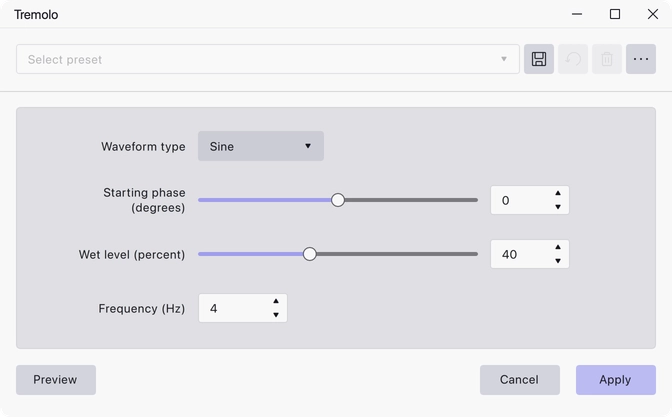
- Waveform type — Sine, Triangle, Sawtooth, Inverse Sawtooth or Square. Sine is the default.
- Starting phase (degrees) — −180 to 180, default 0. Where in the cycle the modulation begins, which decides whether the selection starts loud or quiet.
- Wet level (percent) — 1 to 100, default 40. How deep the modulation is: at 100 the sound drops to silence at the bottom of each cycle, at low values it barely dips.
- Frequency (Hz) — 0.001 to 1000, default 4. How many cycles per second.
Notes
Sine and triangle give smooth swells; sawtooth and inverse sawtooth give a ramp that resets abruptly; square switches between two levels. At high frequencies the modulation stops being heard as a pulse and starts adding sidebands, which is a way of getting ring-modulator-like sounds out of it.
The effect has a preview, so the rate and depth are easy to judge before applying.
Last updated