Workspaces
Classic
Every editing button in the toolbar, laid out for Audacity 3 habits.
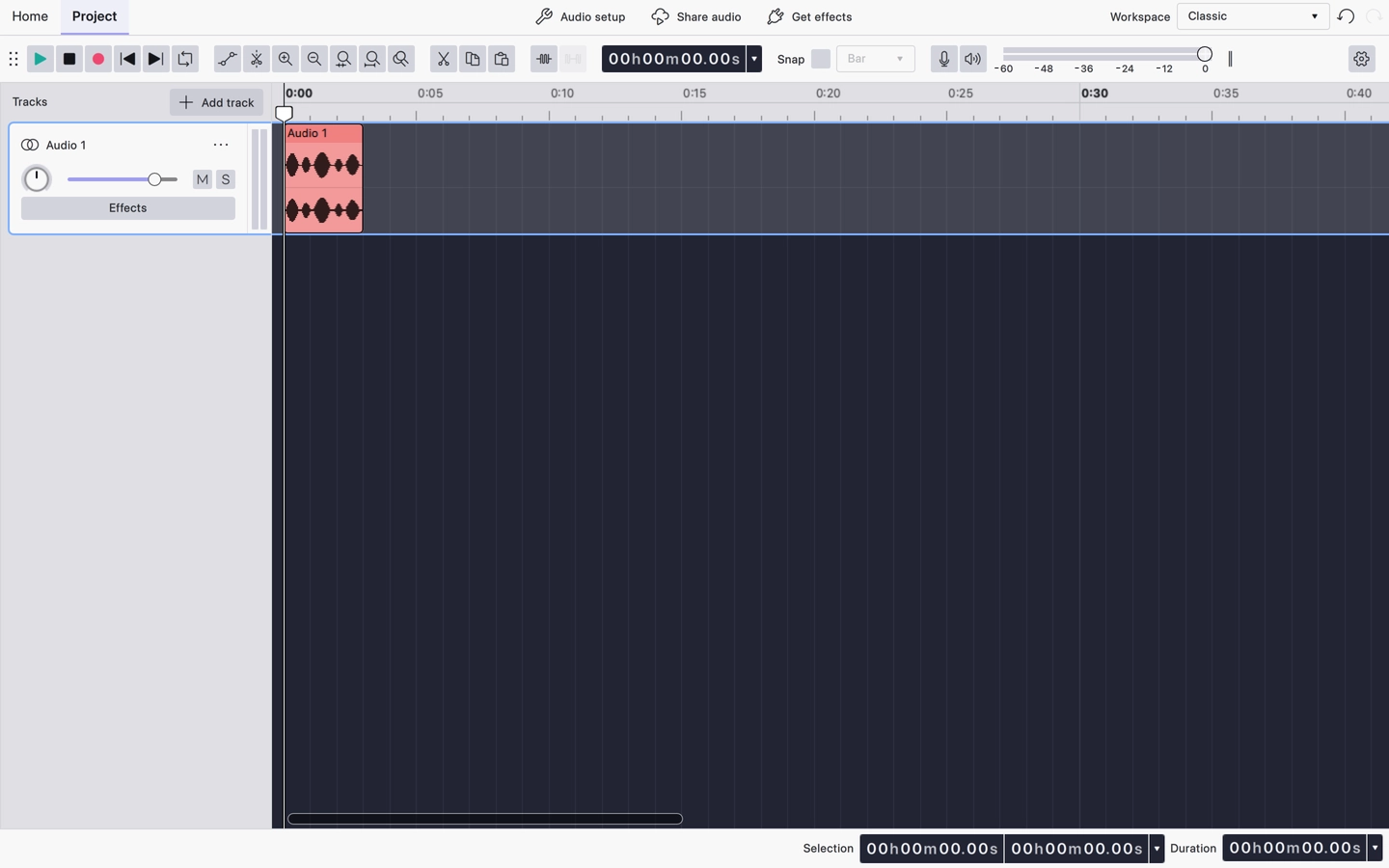
Classic is the workspace for readers coming from Audacity 3: the editing and zoom commands sit in the toolbar as buttons rather than living only in the menus.
What the toolbar shows
- The transport group: Play, Stop, Record, Rewind to start, Rewind to end and Toggle loop region.
- The editing tools: Clip gain and the Split tool.
- The clipboard group: Cut, Copy and Paste.
- Trim and Silence.
- The full zoom group: Zoom in, Zoom out, Zoom to selection, Zoom to fit project and Zoom toggle.
- The timecode, Snapping, and the record and playback levels.
Classic is the only workspace with the clipboard buttons and the full zoom group. It does not carry the spectral view toggle.
Ruler
The timeline ruler is set to Minutes and seconds.
Related
Last updated