Generators
Chirp
Generate a tone that sweeps between two frequencies and two amplitudes.
Chirp is Tone with movement: instead of one frequency and one level held throughout, it starts at one pair of values and finishes at another, sliding between them over the duration. It is the standard signal for sweeping a system’s frequency response.
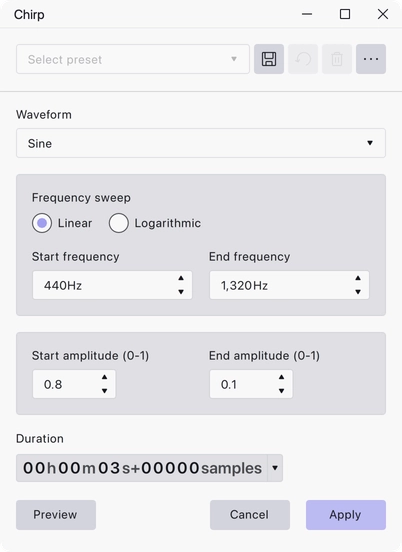
Where to find it
Generate → Chirp.
Controls
- Waveform — Sine, Square, Sawtooth, Square, no alias or Triangle.
- Frequency sweep — Linear or Logarithmic interpolation between the two frequencies.
- Start frequency and End frequency — the frequencies at the beginning and end of the sweep, in Hz. Defaults 440 Hz and 1320 Hz.
- Start amplitude (0-1) and End amplitude (0-1) — the levels at the beginning and end, where 1 is full scale. Defaults 0.8 and 0.1.
- Duration — how much audio to generate, entered as a timecode.
Notes
Choose Logarithmic for a sweep that sounds like it is rising evenly, since pitch is perceived logarithmically. Linear spends most of its time in the top of the range and is the better choice when you want even coverage of the frequency axis on a measurement.
Generation starts at the beginning of the selection, or at the cursor if nothing is selected, and runs for the duration you set. The duration has to be greater than zero before the effect can be applied.
Last updated