Effects
Shelf Filter
Boost or cut everything below or above a chosen frequency by a set amount.
Lifts or lowers a whole end of the spectrum by a fixed amount rather than cutting it away. A low-shelf acts on everything below the frequency you set and a high-shelf on everything above it, which makes this the tool for broad tonal adjustments — a little more weight, a little less brightness.
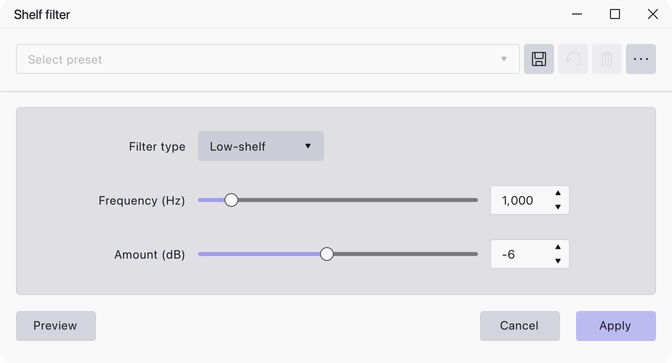
Where to find it
Effect → EQ and filters → Shelf filter.
Controls
- Filter type — Low-shelf or High-shelf. Low-shelf is the default.
- Frequency (Hz) — where the shelf turns over. 10 to 10000, default 1000.
- Amount (dB) — how much to boost or cut the shelved region. −72 to 72, default −6.
Notes
Unlike the high-pass and low-pass filters, a shelf levels off at the set amount instead of continuing to fall away, so a shelf cut thins the sound without removing that end of the spectrum entirely.
The frequency must be below half the track’s sample rate; above that the effect reports an error rather than applying.
Last updated