Effects
Legacy Limiter
The older Nyquist limiter, kept so earlier work can be reproduced.
Holds peaks below a set ceiling, either by limiting — turning the level down only where it would otherwise exceed the limit — or by clipping the peaks outright. This is the limiter Audacity shipped before the built-in Limiter, kept so that earlier results can still be reproduced.
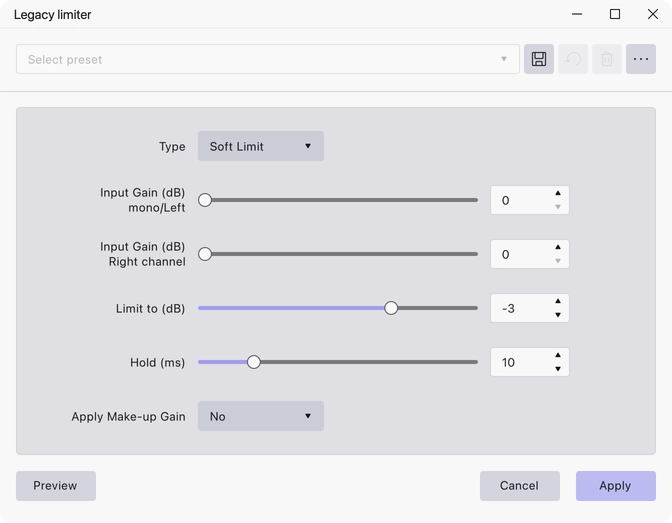
Where to find it
Effect → Legacy → Legacy limiter.
Controls
- Type — Soft Limit, Hard Limit, Soft Clip or Hard Clip. Soft Limit is the default.
- Input Gain (dB) mono/Left — 0 to 10, default 0. Applied before limiting, to the mono track or the left channel.
- Input Gain (dB) Right channel — 0 to 10, default 0. The right channel’s input gain, so an off-balance stereo pair can be corrected on the way in.
- Limit to (dB) — −10 to 0, default −3. The ceiling peaks are held below.
- Hold (ms) — 1 to 50, default 10. How long the limiter stays engaged after a peak, which also sets its look-ahead.
- Apply Make-up Gain — No or Yes. No is the default. When Yes, the result is brought back up after limiting.
Notes
The two limit types reduce gain around a peak, so the waveform keeps its shape; the two clip types cut the peak off instead, which is more audible but holds the level more firmly. Soft variants are gentler than hard ones in each pair.
For new work, prefer the built-in Limiter, which can also run as a realtime effect.
Last updated