Preferences
Audio settings
Audio API, devices, sample rate, buffer size and meter range.
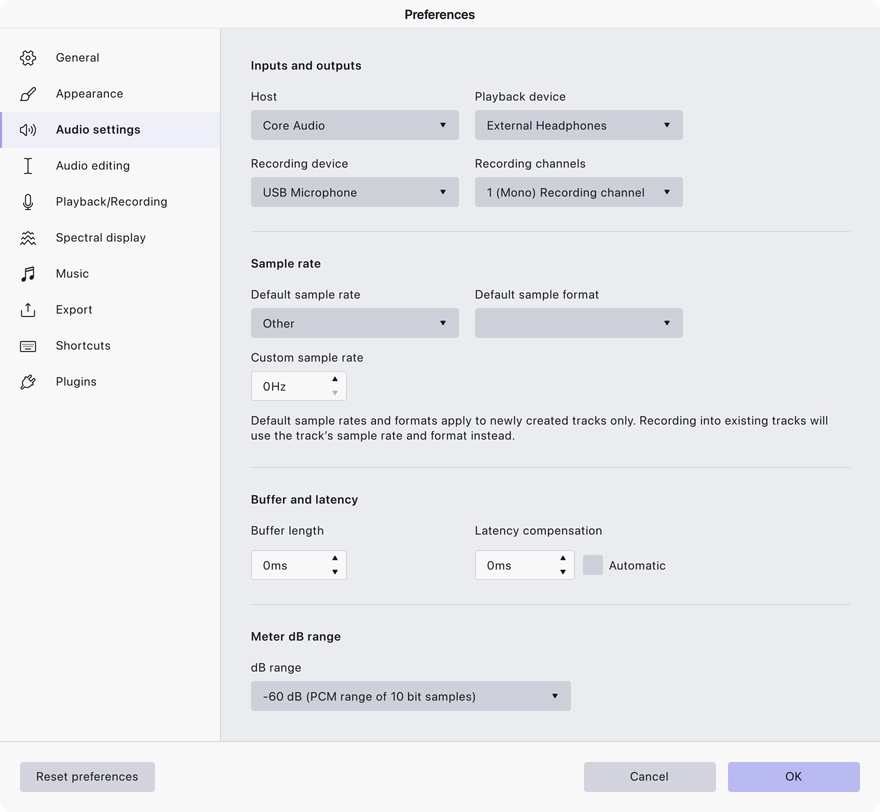
The Audio settings page configures how Audacity talks to your audio hardware.
What it covers
- Audio API — the driver system used to reach your devices, and on Windows the ASIO options where available.
- Sample rate — the project sample rate used for new projects.
- Buffer and latency — the buffer size, and the latency compensation applied when recording alongside existing tracks.
- Meter dB range — the range the level meters display.
Notes
Buffer size trades stability against latency: larger buffers are safer on slower machines, smaller buffers respond faster when overdubbing.
Last updated