Effects
Notch Filter
Remove a narrow band of frequencies centred on one value, leaving the rest alone.
Cuts a narrow band around a single frequency while leaving everything either side of it largely untouched. The usual job is mains hum — 50 Hz or 60 Hz depending on where the recording was made — or a single whistling tone from equipment.
Where to find it
Effect → EQ and filters → Notch filter.
Controls
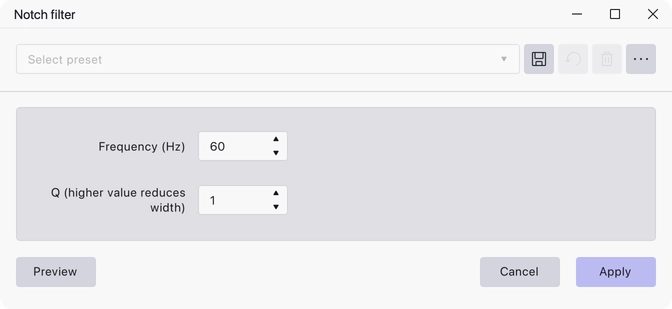
- Frequency (Hz) — the centre of the band to remove. Default 60 Hz.
- Q (higher value reduces width) — 0.1 to 1000, default 1. Q sets how narrow the notch is: raise it to affect less of the surrounding audio, lower it to take out a wider band.
Notes
Mains hum usually comes with harmonics, so removing the fundamental alone may not be enough — you may need to apply the filter again at twice and three times the frequency.
A high Q keeps the damage local but needs the frequency to be accurate; if you are not sure of the exact frequency, start with a lower Q.
Last updated