Workspaces
Modern
The default workspace — a pared-back toolbar with the level meters in a side panel.
Modern is the workspace Audacity 4 starts with. It is described at first launch as “a clearer interface, ideal for new users”: the toolbar carries only the controls needed to record, play and look around a project, and the clipboard and trimming commands are left to the menus and keyboard.
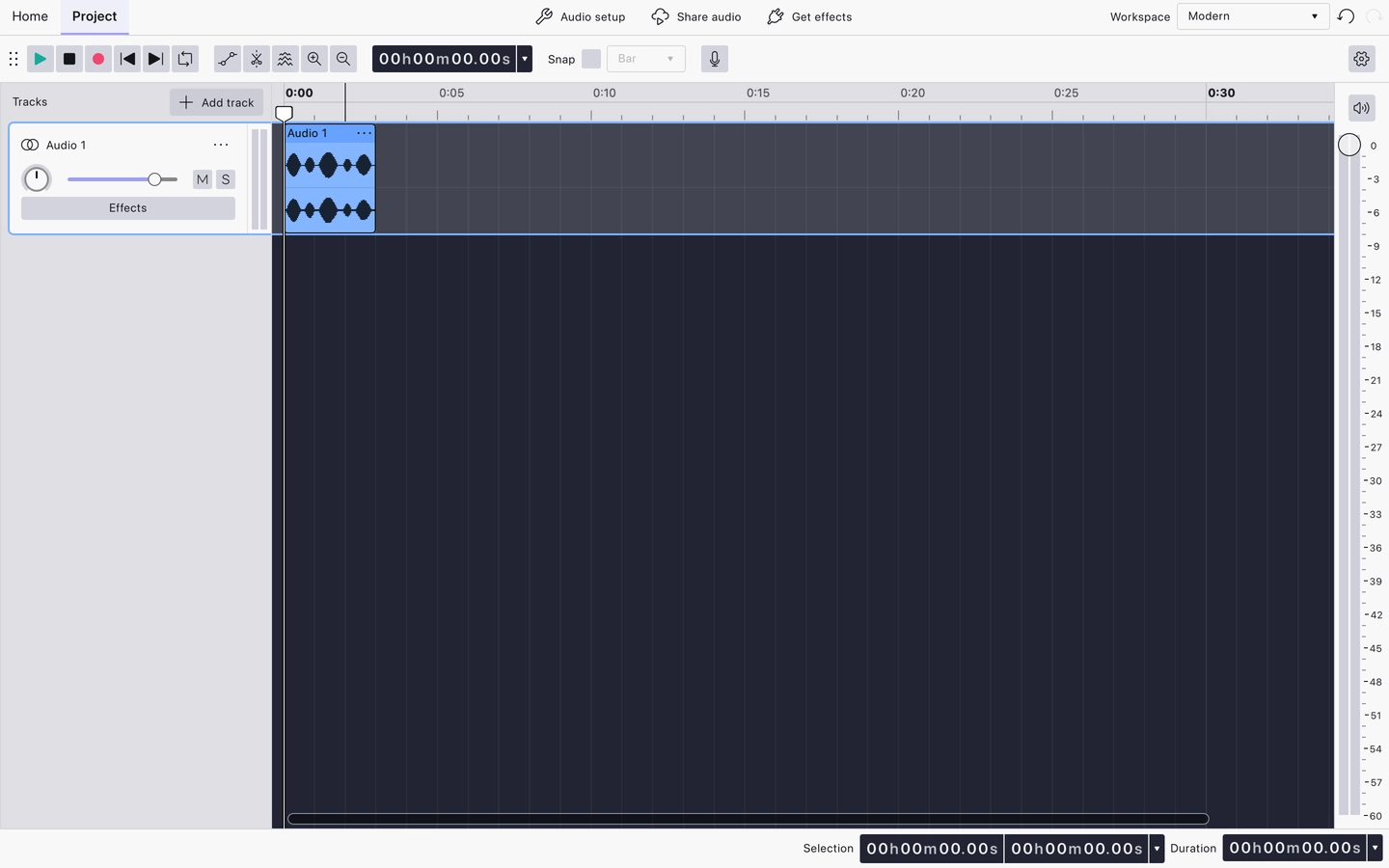
What the toolbar shows
- Play
- Stop
- Record
- Rewind to Start
- Rewind to End
- Toggle Loop Region
- Clip Gain
- Split Tool
- Toggle Spectral View
- Zoom In
- Zoom Out
- Timecode
- Snapping
- Record Level
- Playback Level
Cut, Copy, Paste, Trim, Silence and the three extra zoom buttons (Zoom to Selection, Zoom to Fit Project and Zoom Toggle) are hidden. They all still work from the Header menus and their keyboard shortcuts.
Level meters
Modern is the only shipped workspace that moves the playback meter out of the toolbar and into a panel down the side of the window.
Ruler
The Timeline ruler is set to Minutes and Seconds.
Related
Last updated