Tracks
Tracks
The track area — where recordings and imports live as clips on horizontal lanes, each with its own controls.
Everything you record or import lands in the track area: horizontal lanes stacked down the window, each holding audio as clips. A track is the unit the project is organised by — one voice, one instrument, one imported file — and a project can hold as many as you need.
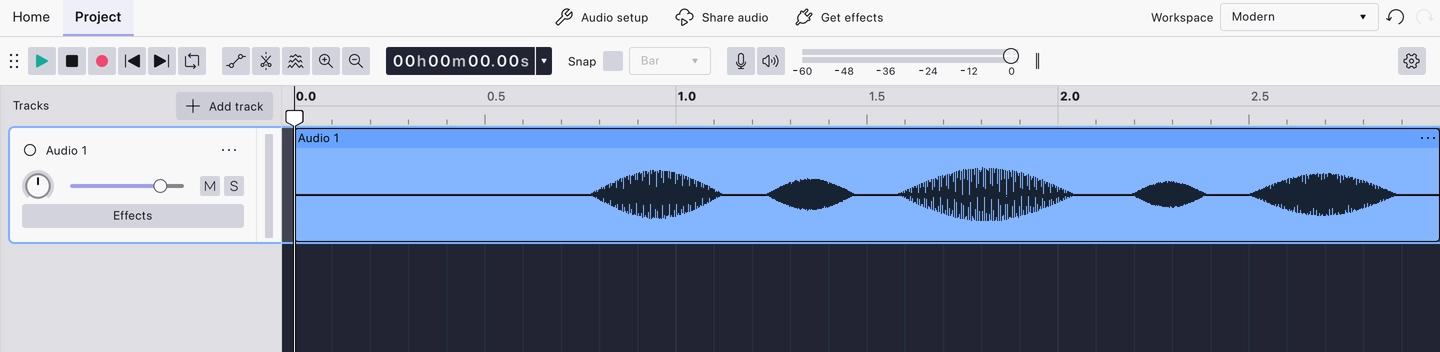
Each track has two halves:
- The Track Control Panel on the left — its name, volume and pan controls, mute and solo, and the Effects button for its realtime stack.
- The waveform on the right — the audio itself, drawn so louder moments are taller, alongside the vertical rulers that put a scale on it.
New tracks come from Add track at the top of the panel, or arrive on their own when you record or import. For working with what’s on them, start with basic audio editing.
Last updated