Timeline
Beats & Measures
Label the timeline ruler in bars and beats, following the project tempo and time signature.
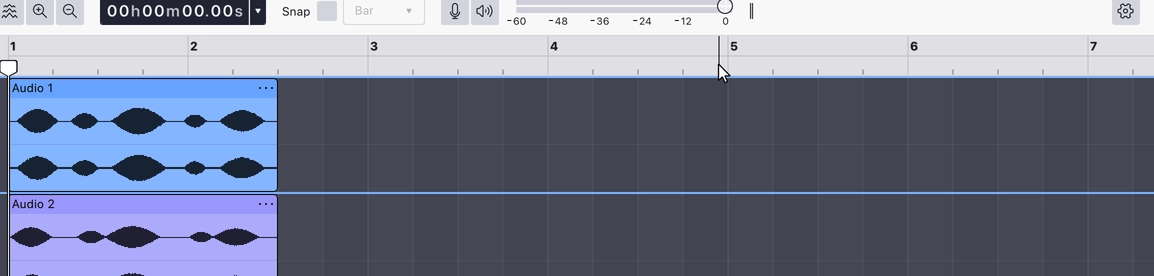
Sets the timeline ruler to musical time — bars and beats rather than clock time. Where the bar and beat lines fall is worked out from the project tempo and time signature, so changing either changes the ruler. As you zoom in, the ruler subdivides the beat further.
In this format the grid behind the tracks also picks up faint alternating shading, so bars are easier to read at a glance.
This is one of two ruler formats; the other is Minutes & seconds. Choosing one turns the other off.
Where to find it
Right-click the timeline ruler and choose Beats & measures. The item is checked while it is the active format.
Last updated