Effects
Low-pass Filter
Attenuate frequencies above a chosen cutoff and leave the ones below it.
Passes frequencies below the cutoff and progressively attenuates everything above it. Use it to take the edge off hiss, sibilance or other high-frequency noise, or to darken a sound deliberately.
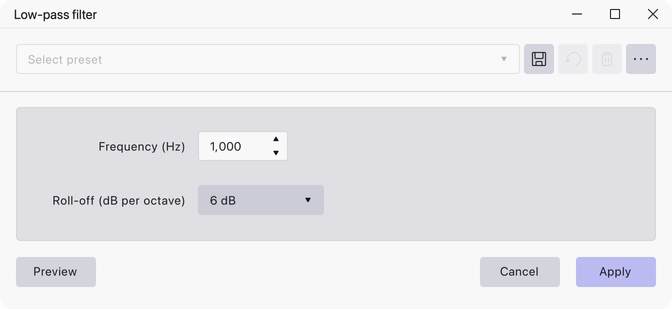
Where to find it
Effect → EQ and filters → Low-pass filter.
Controls
- Frequency (Hz) — the cutoff. Default 1000, minimum 0.
- Roll-off (dB per octave) — how steeply the level falls away above the cutoff: 6, 12, 24, 36 or 48 dB. Default 6 dB.
Notes
The cutoff marks where attenuation begins rather than where sound stops. A 6 dB roll-off is a gentle tilt; 48 dB removes the top end much more decisively.
The effect has a preview, so you can compare settings before applying.
Last updated